OVERVIEW
This project focused on using CSS to build a browser-based application using responsive design; through the use of QR code, users are able to transfer the applications I created from their personal computers to a mobile device by scanning the codes.
Why QR codes and Flexboxes?
QR codes are a popular way of transmitting information using a camera, commonly, the ones found on smartphones and cameras. If you’re not familiar with QR codes, essentially, a library is used (like a decoder/encoder chart) to convert a string of text into a scannable array of shapes which are then scanned and decoded by your device. Interestingly, what’s encoded into these QR codes is nothing more than a sting of text, which is then decoded and reinterpreted by your device. For example, for strings that are decoded to start with http://, your device opens its web browser. Other formats of string signifiers trigger different apps to open on your device depending what’s been sent over, such as taking you your device’s app store. There’s a lot of potential in having simple codes that can be scanned–eliminating the need for extra room, special fonts, or potential for typos, so I wanted to explore this.
Process
BubblePop – Pop ‘Em
First of all, here is the link to my application:
I spent about 10 hours over the course of a few days learning about flexboxes, padding, margins, and, even, the difference between the Standard CSS box model and the Alternative CSS box model (which uses box-sizing: border-box.)
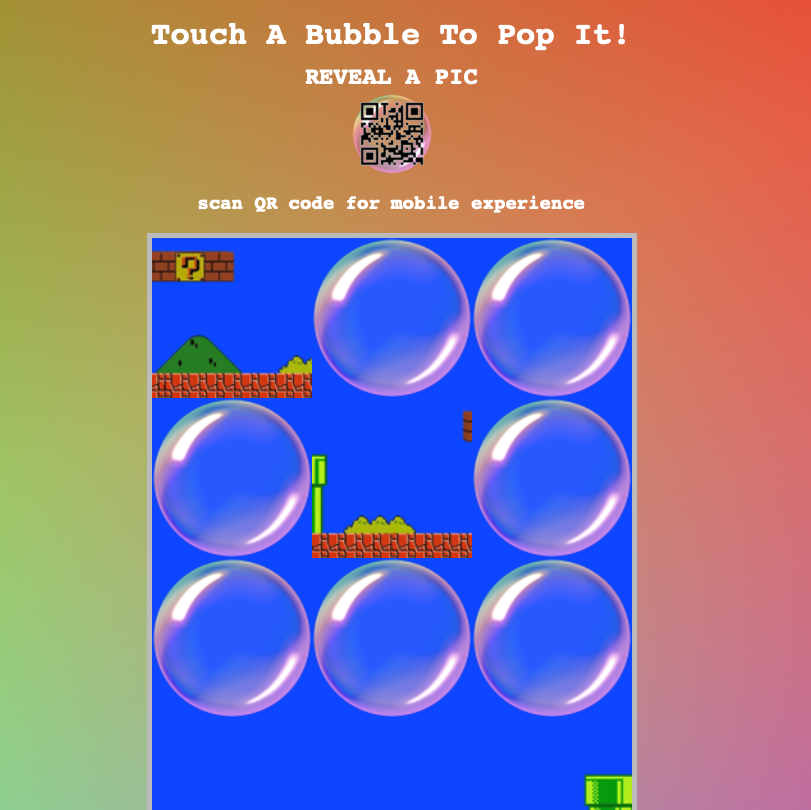
For this application, I used the wrapping feature to have ‘bubbles’ rise to the surface when you pop other bubbles. Among the bubbles are pieces of an image that, when combined, forms–once you’ve popped all the bubbles. I used the onclick="remove(this)" method to make the bubbles disappear. I was able to figure out the function’s code, but would have spent much long figuring out the whole ‘this’ part of it were it not for this post on Stack Overflow.
My initial concept for this was just to have bubbles rise to the surface, however, it was difficult to create an “opening” on the top level (essentially, I had the image pieces on top and four columns across… in the fourth spot, the bubbles would bubble up.) Because of the way the wrapping works, the effect was quite lack luster. I tried anchoring the image pieces, but always got the last item on the bottom row on the other side of the container… far from creating the illusion of ‘flow’. I looked for a way for the items to ‘snake’ around, but couldn’t find it.
Another issue I had was using the viewport code for the mobile device. I found that adding it restricted my zoom in and out abilities and, ultimately, not having it allowed iOS to better manage the zooming (and usability) of the application. (I’d be curious if this is different for other operating systems, such as Android.)
If you’re interested in looking at the code in my GitHub Repo, here’s the link:
BubblePop – Pop ‘Em! – GitHub Repository
X-O-KissyFace
Here you have:
After I finished with the previous browser-based application / QR code example, I kept wondering if I could code my original thought–a version of Tic-Tac-Toe. I wanted to see how using images as content vs text was different.
One thing I did learn was it’s great to use ‘vw’ (percentage of viewing width) to help keep everything in scale.
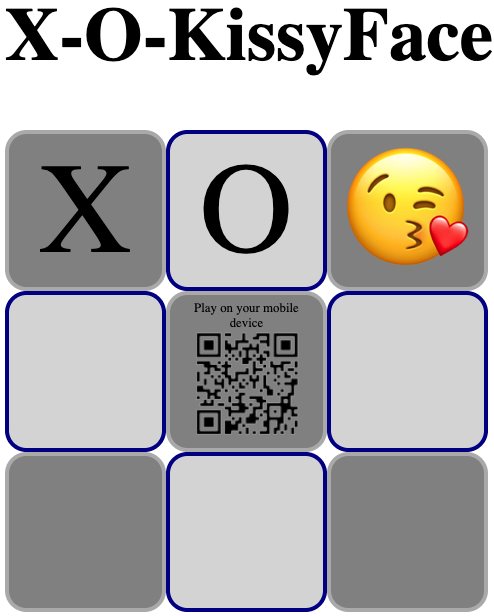
I created the boxes and their contents… when you click on the boxes they cycle through “X”, “O”, and “😘” (which is often used in lieu of XO in text messages.) On the center square, there is a 4th option, the QR code shows up and lets you know you can scan to play on your mobile device. (I didn’t program in the logic, but that really isn’t what this was about for me. I wanted to see if my understanding of how flex display works.)
Here is the code on GitHub:
Tic-Tac-KissyFace – Browser Based Application – GitHub Repository
Takeaways
In doing this project, I learned a lot about QR codes. The biggest takeaway from that would be that, since different string signifiers trigger different apps to open on your device (depending what’s been sent over) AND since you may not be able to distinguish any difference between or gather any meaning from QR codes you come across, scanning QR codes from sources you don’t know or trust can put you at risk of navigating to a malicious site to download things like viruses… so be careful!
Regarding CSS, I was REALLY surprised when I learned that CSS is box-based and definitely felt that was worth exploring. This was *very* exciting to learn because I’ve often been frustrated with CSS and formatting, but never enough to take the time to learn what was at the root of my formatting issues; learning that CSS is box-based then doing these activities really helped solidify my understanding of how CSS works. I’d used it before in the past on projects, but often found myself doing a bunch of trial and error or borrowing from solutions on StackOverflow. Being able to go through this project having a better understanding of CSS allowed me to produce more creative web applications; I feel that this will be true moving forward with future projects and web applications!